Get Grooven At A Glance
- Digital signage helps multifamily owner-operators protect NOI by cutting the hours on-site teams spend printing, posting, and updating notices.
- When signage connects to a property management system, screens can update on their own with events, amenity hours, and maintenance notices.
- Total cost of ownership covers displays, media players, installation, software, network, and support, so commercial-grade hardware often costs less over its life.
- Apartment screens can earn modest revenue from local ads and sponsored content, which helps offset ongoing software and support costs.
- Signage supports leasing and retention as one part of a communication plan, since residents who are happy with communication are more likely to renew.
Why Digital Signage in the Multifamily Leasing Office Is an NOI Decision
Nearly 4 in 10 renters plan to move in the next 12 months, up from 35% a year earlier, according to AppFolio’s 2026 Renter Preferences Report. That churn lands squarely on the leasing office. Walk-in traffic still shows up unannounced, leasing teams are stretched thin, and the printed flyer in the acrylic frame by the door looks dated the day it goes up.
Most owner-operators already know digital signage looks sharp in a lobby, but looks alone rarely justify a budget line. The real questions are about labor overhead, risk, and what the screens do for net operating income (NOI) over the life of the asset.
This post works through those questions the way an asset manager would, covering who runs the content, how signage connects to a property management system (PMS), how much staff time it frees up, and what else owner-operators need to know.
Who Creates, Schedules, and Updates Digital Signage Content
Content ownership is the first question most operators ask, and for good reason. A screen that nobody updates quickly becomes the digital version of a faded flyer. In most apartment communities, a simple three-tier split keeps signage current without adding a new job title.
- Corporate or Regional Marketing – Sets brand templates and pushes portfolio-wide campaigns, such as a renewal promotion or holiday hours.
- Community Manager – Approves property-specific messages and keeps an eye on what runs in the leasing office.
- Leasing Team – Handles day-to-day updates like resident events, pool hours, and move-in reminders.
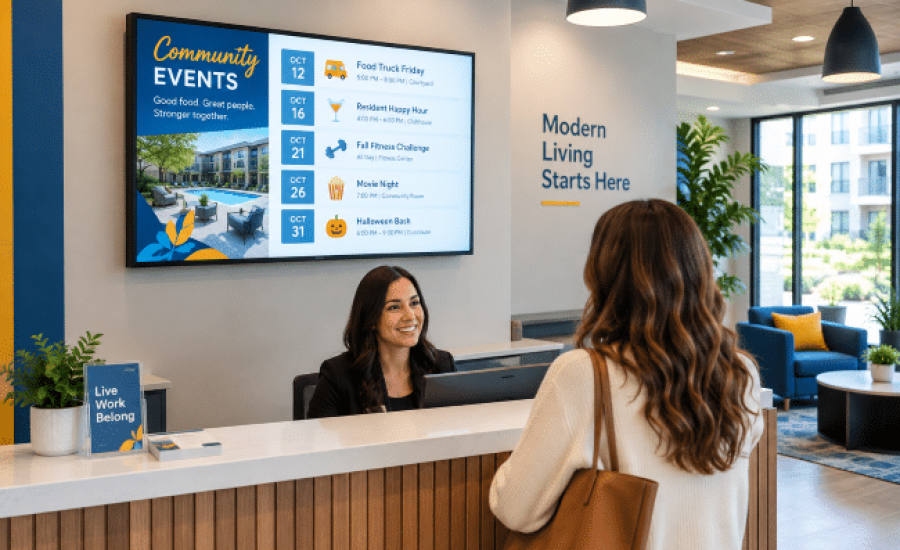
Template-based software makes this split realistic for busy teams. Our digital signage for multifamily properties runs on Della OS, where a leasing agent can pick a template, change the words, add a photo, and publish. Content can go to one screen, one building, or a whole portfolio, either live or on a schedule set weeks in advance.
Does Digital Signage Integrate With Your Property Management System?
Many modern digital signage platforms integrate with a PMS to pull community events, amenity schedules, and maintenance updates onto screens automatically. Integration depends on which PMS you use and what data it shares, so confirm the specific connection, which fields sync, and how often screens refresh.
This connection is where most of the labor savings come from. When supported data can flow from the PMS into the signage platform, your team can enter information once and automate its display across designated screens. Della OS is designed to work with most popular PMS platforms and also connects to building systems that feed live data to your displays. Because supported platforms change over time, ask for a current integration list before you plan around a specific feature.
Digital Signage Saves Your On-Site Team Time
Time savings vary by property, so start with your own numbers. Start by counting what printed notices cost your team today. That list usually includes designing the flyer, printing it, walking it to every posting spot, swapping out frames, and pulling expired notices later.
As a hypothetical example, picture a community that posts six notices a week across five locations. If each posting takes about 10 minutes, that adds up to roughly five staff hours every week. Digital signage collapses most of that into a few minutes at a desk. Remote monitoring also helps, since live screenshots of each screen let staff confirm what is playing without walking the building.
Those recovered hours matter most in the leasing office. Every minute spent on flyers is a minute away from a prospect, a renewal conversation, or a resident at the counter.
How Owner-Operators Should Measure the ROI for Digital Signage
Track these factors when measuring ROI:
- Labor – Hours previously spent creating, printing, posting, and removing notices
- Printing – Paper, ink, laminates, frames and replacement materials
- Technology – Displays, media players, software licenses and mounts
- Infrastructure – Network drops, cabling, power and installation
- Support – Monitoring, maintenance and replacement
- Revenue – Advertising or sponsored content, if applicable
- Leasing – Leads, tours, applications and lease conversions
- Retention – Renewal rate and resident communication satisfaction
- Portfolio Efficiency – Time saved by centralizing content across properties
Here is a formula you can use to calculate the digital signage ROI for your MDU property:
Annual signage benefit = labor savings + avoided printing costs + incremental revenue + measurable leasing/retention benefit − annual technology and support costs
What Digital Signage Costs Across a Multifamily Portfolio
The price of a screen is only one piece of total cost of ownership. A realistic budget for multifamily digital signage accounts for every layer that keeps a screen running for years.
- Displays – Commercial-grade screens built for long daily run times in lobbies and common areas.
- Media Players and Mounts – The hardware that receives content and holds each screen securely in place.
- Installation and Cabling – Power, data runs, and mounting work, which vary by building age and layout.
- Software Licensing – The content platform, usually billed per screen on a recurring basis.
- Network – A dependable connection at every screen location.
- Support and Replacement – Troubleshooting, warranty service, and planned hardware refresh cycles.
Across a portfolio, standardizing hardware and templates keeps these costs predictable from one property to the next. Funding structure matters too. Many owners weigh the tradeoffs between CapEx and OpEx before rolling technology out across several assets, since the choice affects both cash flow and reported NOI.
Reducing Risk With Emergency Alerts and Accurate Notices
Risk mitigation is an easy benefit to overlook. When a water shutoff, fire alarm test, or severe weather warning comes up, staff can use centralized signage to push an alert across designated screens. Digital signage should supplement—not replace—required emergency communication methods. That reach matters in buildings where residents skip email or ignore app notifications.
Accuracy carries its own risk. An outdated pool schedule or a missed elevator outage notice leads to frustrated residents and extra calls to the office. Scheduled content expires on its own, so old messages come down on time. Some notices, such as the fair housing poster, still need a physical copy, so check with your legal team before retiring any printed notice.
Does Digital Signage Drive Leasing Velocity or Resident Retention?
The AppFolio data doesn’t measure digital signage specifically, but it does reinforce why effective resident communication matters to retention. In the same survey, 55% of residents satisfied with communication planned to renew or stay, compared with 38% of residents who were dissatisfied.
Signage is one of the few channels residents see every day without opening an app. In the leasing office, it gives waiting prospects a look at amenities, events, and current specials. It also pairs well with self-guided tours, since screens in the lobby carry your message when no agent is present. Renters increasingly expect this kind of smart technology in their apartments, so visible, current screens help a property feel well run.
Where To Place Digital Signage in an Apartment Community
Good placement makes the difference between a screen people read and one they walk past. The best spots are places where residents and prospects naturally slow down or wait, including:
- Leasing Office – Showcase amenities, floor plans, and community life while prospects wait.
- Mailroom and Package Room – Share delivery reminders, policy updates, and upcoming events where residents stop daily.
- Fitness Center – Post class schedules, equipment notices, and amenity hours.
- Elevator Lobbies – Reach residents in high-rise and mid-rise buildings during a natural wait.
- Clubhouse and Amenity Spaces – Promote resident events, reservations, and seasonal campaigns.
Accessibility should also be part of the signage plan. Use readable type, sufficient contrast, appropriate screen placement, and accessible alternatives for important information. Digital signage can supplement required physical signage and notices, but it should not be treated as a replacement for accessibility-required signage.
Digital Signage for MDU and Student Housing Properties
MDU properties often need building-specific messaging, since one tower may have an elevator outage while another needs to communicate a fire drill. Publishing by screen or by building keeps each message relevant to the people who see it.
Student housing adds its own pressure. Most residents move in during the same few weeks each year, so wayfinding, check-in steps, and roommate events all compete for attention at once. Screens handle that rush well, with the same displays later carrying quiet hours, safety reminders, and renewal deadlines for the next academic year.
FAQs for MDU Digital Signage
Yes, many apartment communities sell screen time to local businesses such as coffee shops, pet groomers, and moving companies, and our signage platform supports local ads and sponsored content on your screens. Revenue tends to be modest, so most operators treat it as a way to offset ongoing software and support costs.
Keep ads to a small share of each playlist so resident messages stay front and center. Condo properties should also check association rules before selling screen time. In student housing, campus-area restaurants and services are often the most natural fit.
Consumer TVs aren’t built for continuous commercial use, and their warranties often exclude it. Screens that run all day in a lobby usually last longer as commercial displays.
Commercial displays are available with higher-duty-cycle ratings, including models designed for 16/7 or 24/7 operation, depending on the property’s needs. They also lock out front-panel buttons, which keeps curious residents from changing settings. During a site visit, we can check whether any of your current screens are worth keeping.
Most properties can support digital signage with a few checks. Media players need a steady internet connection to receive updates and report their status, and a wired data drop at each screen location is the more dependable choice compared with relying on resident Wi-Fi.
Before installing, confirm a connection at every planned screen location and keep signage traffic separate from resident devices. Plan extra bandwidth if you intend to run a lot of video. Older buildings may need new structured cabling to reach spots like elevator lobbies or fitness centers.
Most apartment communities start with a handful of screens placed where residents and prospects naturally pause, usually the leasing office, the mailroom or package room, and the fitness center, then add elevator lobbies or clubhouse screens as content and budget allow.
Starting small gives your team time to build a content routine before expanding. Larger MDU and student housing properties often need more screens because of multiple buildings and entrances.
Putting Digital Signage To Work for Your Multifamily NOI
Digital signage earns its place in a multifamily leasing office when it saves staff time, keeps information accurate, and supports the communication residents say matters. The strongest setups connect to your PMS, use templates your team can run in minutes, and sit on commercial-grade hardware and a dependable network. Ad revenue and portfolio-wide publishing help the numbers work across several properties.
Planning, installing, and supporting signage like this is everyday work for us at Groove Technology Solutions. We handle the site visit, cabling, installation, Della OS setup, and staff training, then stay on for 24/7 support after launch. Our work is backed by the Groove Guarantee and thousands of five-star reviews. If you are weighing digital signage for your community or portfolio, feel free to reach out to us anytime.

